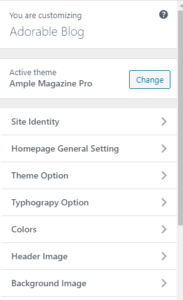
First of all, You Need to activate an Ample magazine theme On Your Site then Follow The Instruction Below :
Header Breaking News Section Setup Process
# Go to Your Dashboard > Appearance > Customize > Homepage General Setting > Breaking News Option > Then select option
Site Title and Logo Change
# Go to Your Dashboard > Appearance > Customize > Site Identity and Choose title logo or Tagline
Top Menu, Social Menu, and Primary Menu Setup Process
# For Social Menu
- Go to Your Dashboard > Appearance > Customize > Homepage General Setting >Header Social Sharing > Choose Option
# For Top Menu
- Go to Your Dashboard > Appearance > Menu > create a menu or Choose menu then select Top menu
#For Primary Menu
- Go to Your Dashboard > Appearance > Menu > create a menu or Choose menu then select Primary Menu
- for Color Option menu description, you need to write class as video color as red give red, blue as blue , green as green and yellow as yellow
Header image And Header Advertisement
# For Header image
- Go to Your Dashboard > Appearance > Customize > Header image > Change image as your wish
# For Advertisement Widgets Area Setup
- Go to Your Dashboard > Appearance > Widgets > choose AT : Advertisement Widget > Drag and Drop To Advertisement Area
Popular Tag Option
# Go to Your Dashboard > Appearance > Customize > Homepage General Setting >popular tag Option > choose Your Option as your Requirement (Note : post Must have a Tag )
Main Banner Setup Option And Post Format Icon (Icon show image video, gallery, and audio on post
# Go to Your Dashboard > Appearance > Customize > Homepage General Setting >Main Banner Section > Setup Option as your wish
1. choose a category for slider section and choose a category for the feature section
2. choose a design layout
- – full -width
- – container
3. choose layout
- –layout 1 ( layout with feature image 4)
- –layout 2 ( layout with feature image 2)
- layout 3
- layout 4
- layout 5
- layout 6
- –layout 7( Banner Sidebar For Layout 3, need to add widgets on this area )
- layout 8
# For the Display icon
- you must edit a post select post type such as image, video, audio, etc
Header Trending News Section Setup Process
# Go to Your Dashboard > Appearance > Customize > Homepage General Setting >Trending News Option > Then select option with a category for scroll text and image
Widgets Setup on Home page area and Home Page Area with No sidebar
# Go Appearance > Widgets > drag and drop widgets on homepage area and choose option On widgets, please check a video that I show all setup process widgets on your site.
1.AT: layout 1 widgets
2.AT: layout 2 widgets
3.AT: layout 3 widgets
4.AT: layout 4 widgets
5.AT: layout 5 widgets
6.AT: layout 6 widgets
7.AT: layout 7 widgets
8.AT: slider widgets
9.AT: social Widgets
10.AT: Advertisement Widgets
11 AT: Author Widgets
12. AT Popular Post Widgets
Follow Video Tutorial For Set up Widgets
For Changing Footer Copyright Text
# Go to appearance >customize > Homepage General Setting > Footer Option > change Footer text and
url ,https://prnt.sc/ua04lx
All Color option
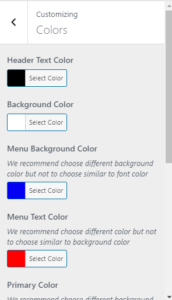
Go To Customize > Color Option > change color Option
Typography option
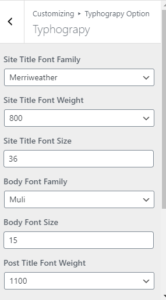
Go To Customize > Typography Option > Change Typography Option
All Other customizer option
Go To Customize > Check all Cutomizer option